
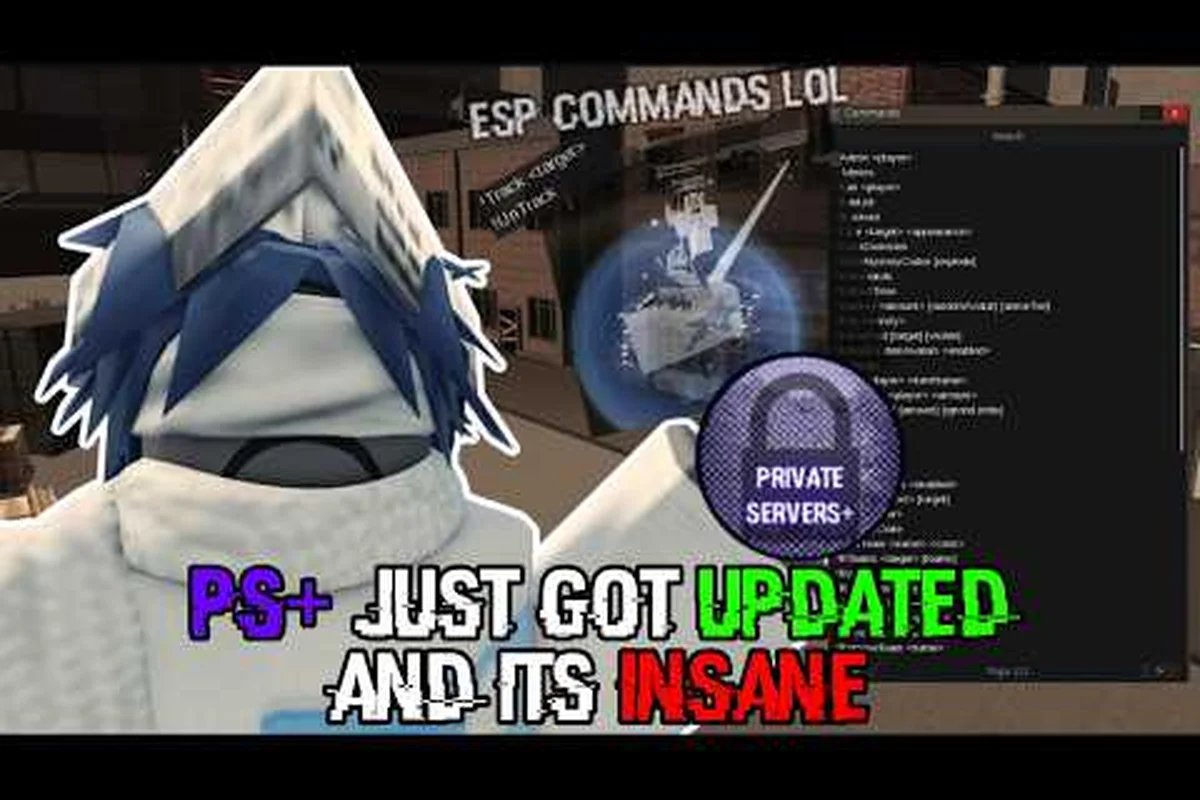
A criminality VIP server gives Private Servers+ owners direct control over rules, maps, game modes, commands, and the overall server configuration. For example, an owner can lock specific weapons, shorten the match timer, or switch to a custom game mode instead of the standard Criminality round. The available commands also depend on the server setup, so a freecam command may be enabled for testing but disabled during competitive matches. These options matter because changing a single rule can reshape player behavior, objective strategy, and the pace of every match. Owners should therefore test each Criminality Private Server setting and command with regular players before opening the server to a larger group.
Criminality VIP Server Overview
The Criminality private-server system turns a regular match into a customizable sandbox when the appropriate Private Servers+ access is active. Instead of relying only on the normal public matchmaking rules, a host can enable or disable particular mechanics, select a map, choose among the available modes, and issue commands during play.
This matters because the same Criminality map can support very different goals. One group may want unrestricted access to gear for practice, another may want a more competitive economy, and a third may prefer a casual event with unusual rules. The criminality vip server acts as the control layer for those experiences.
What Private Servers+ Changes
Private Servers+ exposes a broader set of server-owner tools than the standard private-server experience. According to the available feature information, the server can control inventory access, cash, stocks, bounties, pass items, guns, scraps, names, avatars, and several other elements.
| Server element | Owner-controlled choice | Practical effect |
|---|---|---|
| Inventory | Keep, remove, or alter access | Changes preparation and equipment choices |
| Cash | Enable, disable, or adjust availability | Alters the starting economy and recovery |
| Stocks | Offer extra, infinite, or normal stock | Controls access to rotating items |
| Bounties | Keep or remove | Shifts the focus away from target hunting |
| Game mode | Choose a supported mode | Determines the match objective |
| Map | Select the preferred map | Changes the environment for every match |
| Commands | Use the available command family | Supports administrative and view-related actions |
The key distinction is that these are rule-level changes, not cosmetic map props. Enabling unlimited stocks or removing inventories can affect the entire session, so the host should treat every Criminality private server setting as a balance decision. For example, infinite Stocks remove normal rotation limits, while altered Cash availability changes the economy; comparing these owner-controlled choices before opening a full server helps preserve the intended Criminality match objective.
Choosing a Purpose Before Configuring Rules
A useful criminality custom game mode begins with a clear purpose. Decide whether the group wants to rehearse combat, explore progression, test the economy, or play a social event. The purpose makes it easier to select compatible settings without accidentally creating contradictions.
For example, removing bounties makes sense for a relaxed group that wants to avoid target pressure. Infinite stocks also fit a relaxed practice session, but both changes reduce the consequences of losing equipment and money. By contrast, a group seeking a competitive match may keep inventories, cash drops, bounties, and normal stock behavior unchanged.
| Goal | Suggested starting approach | Settings to review first |
|---|---|---|
| Gear practice | Open equipment availability | Stocks, load data, unlock all |
| Casual social match | Reduce punitive systems | Bounties, cash drops, inventories |
| Economy testing | Preserve progression | Cash, stocks, pass items, scraps |
| Rule experimentation | Change one system at a time | Record each change before testing |
| Full competitive match | Keep baseline restrictions | Avoid unnecessary overrides |
A criminality full server experience does not require enabling every option. The phrase refers here to a host-controlled private environment, not an official claim about a guaranteed server size or a publicly published player capacity. The available source material does not state an exact Criminality full server player count.
Criminality Private Server Rules and Settings
The most important part of any criminality private server rules setup is understanding how economic and progression systems interact. Cash, stocks, items, weapons, scraps, and bounties can each reshape the match, and changing one rule may change the value of another.
Economy and Inventory Rules
The available rule set includes Extra Cash, No Cash, Extra Stocks, Infinite Stocks, No Inventories, No Bounties, and No Cash Drop. These options alter how quickly players acquire equipment, how much protection they have after a defeat, and whether losing a fight has lasting consequences.
| Rule | Best fit | Main tradeoff |
|---|---|---|
| Extra Cash | Fast-start practice | Weakens the need to earn a normal opening balance |
| No Cash | Survival or challenge testing | Removes a standard recovery resource |
| Extra Stocks | Early gear experimentation | Makes equipment access less selective |
| Infinite Stocks | Unrestricted practice | Removes stock availability as a constraint |
| No Inventories | High-risk testing | Removes carried equipment and makes preparation more fragile |
| No Bounties | Casual or creative sessions | Removes a central hunting pressure |
| No Cash Drop | Controlled economy tests | Changes how recovered money reaches players |
The Load Data option is another progression-related choice. It determines whether server data follows the owner’s existing state, which is useful for preserving gear, cash, and other progress. If a server should begin from a clean slate, leaving that data out can create a more neutral testing environment.
Weapons, Items, and Scrap Rules
Several rules directly affect equipment. Unlock All opens access to the relevant unlockable content, while No Guns removes firearms from the environment. No Pass Items blocks items associated with passes, and No Legacy Scraps removes the older scrap-based system from consideration.
Remove OP can strip a separately applied operator effect, whereas Legacy Downing and Legacy Scraps can restore older interaction behavior. The Event Items rule exposes seasonal or event-linked content, making it useful for themed sessions but also a possible source of confusion when players expect it in a normal match.
| Equipment setting | Use it to | Watch for |
|---|---|---|
| Unlock All | Test less-limited equipment access | Less progression friction |
| No Guns | Build a non-firearm or melee-focused session | A different combat balance |
| No Pass Items | Exclude pass-linked inventory | Players may ask why items are absent |
| Event Items | Run a themed gathering | Availability may depend on the event context |
| Remove OP | Cancel an operator advantage | Verify no conflicting rule remains |
| Legacy Downing | Restore older downing behavior | Mixed expectations about defeat |
| Legacy Scraps | Restore the older scrap economy | Different resource-management patterns |
Do not pair random restrictions merely because they are available. For instance, combining no guns with legacy weapons can create a confusing session if players are not told which equipment remains usable. Publish a short rules note before the match so everyone understands the intended experience.
Identity, Map, and Mode Controls
Identity rules include No Incognito, Random Names, and Random Avatars. No Incognito prevents players from concealing their identity, while random-name and random-avatar options can make each round more unpredictable. These settings are especially useful for social deduction-style events, anonymous practice, and custom tournaments.
The host can also choose a map and any of the four available Criminality game modes. For broader information about each option, use the Criminality game modes overview before changing the server’s mode. The map selection should support the chosen objective rather than becoming an unrelated preference.
| Control | Meaning | Best scenario |
|---|---|---|
| No Incognito | Keeps identity visible | Team coordination or transparent play |
| Random Names | Replaces displayed names | Anonymity and unpredictability |
| Random Avatars | Changes displayed avatars | Identity-focused events |
| Map Choice | Selects the match map | Training on a familiar environment |
| Four Game Modes | Chooses from available modes | Different match goals and structures |
These controls demonstrate how a criminality custom game mode can be built around a specific event. A mode choice affects the objective, identity rules affect social dynamics, and map selection affects where encounters occur. Changing all three at once can be exciting, but it also makes balance harder to evaluate.
Criminality Private Server Commands
Server commands provide a faster way to manage a session after it begins. The available command family is represented by the !cmds listing, while freecam is associated with the dedicated command identified below. Commands are practical because they let an owner respond to an event without ending the entire match.
The !cmds Command Family
The !cmds command family is the central reference for the private-server command experience. Players should not assume that every command will work in every server, because access can depend on the owner’s permissions, the active Private Servers+ tools, and the game mode currently running.
| Command type | Purpose | Best time to use |
|---|---|---|
| !cmds listing | Display available command categories or entries | Before explaining server controls |
| Freecam command | Move the camera independently of the character | Spectating, reviewing, or showcasing |
| Rule-related commands | Adjust supported private-server rules | Between rounds or during a controlled test |
| Utility commands | Support common administrative actions | When players need immediate guidance |
The safest approach is to open the command list at the start of the session and explain which commands owners may use. A command list provides a shared reference, reduces repeated questions, and makes it easier for a host to follow the criminality private server commands without confusing them with chat commands used in ordinary public play.
Criminality Freecam Command
The criminality freecam command detaches the camera from normal character control so the owner can observe the environment from a different position. This is useful for checking sightlines, watching how a group interacts with an event, reviewing activity from a distance, or presenting a moment without moving the character into it.
Freecam should be treated as an administrative viewing tool, not a tactical advantage. The owner can pause participation while using it, return to normal control afterward, and explain that camera movement does not grant extra combat power. That distinction keeps the session fair and prevents confusion about whether the owner is still controlling the character.
Creating a Command Brief for Players
Players benefit from a simple command brief made before the round starts. Include the owner’s permitted commands, whether freecam is available, which settings can change during play, and whether changes apply immediately or after a round ends. Avoid publishing exact command strings until they have been confirmed in the current client.
A practical brief follows this sequence, with each item tied to a specific Criminality private server rule so players can verify behavior during the round rather than infer it from chat. For example, record whether the Criminality freecam command is available, which administrative tools the owner can use, and whether inventory, cash, stocks, or bounty changes take effect immediately or only after the current round ends. If a change affects everyone, flag the timing and restart state explicitly so a deliberate Criminality VIP server update is not mistaken for a bug.
-
Display the available command listing.
-
Identify the owner’s administrative tools.
-
Explain whether freecam is enabled.
-
State when rule changes will take effect.
-
Pause briefly if a setting affects everyone.
-
Confirm the new rules before restarting play.
This process keeps a criminality vip server understandable even when its rules are unusual. It also gives regular players a way to distinguish an intentional rule change from a bug, especially when inventory, cash, stocks, or bounty behavior changes during a session.
Building a Criminality Full Server Experience
A polished criminality full server is not defined by stacking every option. It is defined by a coherent purpose, visible boundaries, and rules that players can understand. Private Servers+ offers many controls, so the host should build from a short scenario and remove anything that works against it.
A Practical Configuration Workflow
Start by choosing the mode, map, and central activity. Then decide whether the match should preserve normal progression, support relaxed experimentation, or test a restricted rule set. Next, adjust the economy, inventory, equipment, and identity systems. Finally, test the configuration in a short round before committing to a longer session.
| Stage | Decision | Practical check |
|---|---|---|
| 1 | Choose the objective and mode | Everyone knows the match goal |
| 2 | Select the map | Environment supports the activity |
| 3 | Set progression behavior | Load data or start clean |
| 4 | Adjust the economy | Cash and stocks match the goal |
| 5 | Configure items and identity | Rules create the desired challenge |
| 6 | Test commands | Owner controls work as expected |
| 7 | Run a trial round | No contradictions or confusion |
| 8 | Publish the final rules | Players receive one clear reference |
This workflow reduces the chance that a Prime only setting, a no-cash rule, or an inventory restriction will surprise players. It also helps the owner determine whether the session needs the standard modes listed in the Criminality server list and joining guide.
Preset Ideas for Different Groups
A good preset communicates the intended Criminality VIP server experience in one sentence, because players need to know which rules alter the match before entering the lobby. Avoid vague names such as “chaos” unless the rules themselves explain the concept: for example, “No Cash Drop, No Bounties, Random Names” clearly signals relaxed play, while “Bare Survival” should be paired with its No Cash, No Inventories, and No Bounties restrictions. Specific names help players understand why weapons, cash, inventory access, or identity systems are limited, and make a Criminality private server easier to configure as a repeatable custom game mode.
| Preset concept | Core setup | Intended result |
|---|---|---|
| Open training | Unlock All, Extra Stocks, Load Data | Fast access to practice and equipment |
| Bare survival | No Cash, No Inventories, No Bounties | Greater loss risk and reduced recovery |
| Casual crew | No Cash Drop, No Bounties, Random Names | Relaxed play with added unpredictability |
| Classic match | Normal economy and inventory | A closer approximation of standard play |
| Rule showcase | One distinctive rule plus baseline play | Easy-to-explain experimental session |
For more ideas about the broader match structure, compare the Criminality infection tips and private-server considerations. Even when infection is not the chosen mode, its emphasis on adapting to a changing objective illustrates why a preset should clarify what changes and what remains standard.
Balancing Accessibility and Challenge
Every override creates an advantage or a loss. Extra stocks shorten preparation, infinite stocks remove an availability constraint, and load data can preserve progress. On the other side, no cash and no inventories increase the consequences of defeat, while removing bounties reduces one source of pressure.
A host can reduce imbalance by announcing the following before play: whether the server uses a normal progression curve or a flattened experience rate, how inventory persistence works, and whether cash is available for respawning and equipment purchases. Clear ground rules help players compare loadouts, plan around cash drops, and avoid disputes over identity controls or event-linked gear.
-
Which progression or inventory data carries into the server.
-
Whether cash is available and how it can be regained.
-
Which equipment is present, restricted, or event-linked.
-
Whether bounties and cash drops are active.
-
Whether identity controls are cosmetic, functional, or both.
-
When the host can change rules during the session.
This level of clarity matters because the available source material does not publish exact damage, fire-rate, magazine, range, experience-rate, level-cap, bounty-value, or Robux-price figures. It is better to explain the qualitative effect of a setting than to invent a numerical advantage. The same restraint applies to the restock and stock mechanics discussed in the Criminality restock command guide.
Admin Checklist for a Stable Private Match
A stable server depends on preparation, permission clarity, and quick recovery from mistakes. The owner should not wait until the match begins to learn how the tools behave. A short dry run catches menu confusion, missing permissions, and rules that unintentionally remove too much of the game.
Before Inviting Players
Confirm the Private Servers+ access is active and open the private-server controls. Choose the map and one of the four game modes, then apply the economy and inventory rules. Review the command listing, test freecam, and save a written version of the final configuration somewhere accessible to the host.
| Checklist item | Ready when |
|---|---|
| Access | Private Servers+ controls open successfully |
| Objective | Mode and map are selected |
| Economy | Cash, stock, and drop rules are clear |
| Progression | Load-data behavior is understood |
| Equipment | Weapon, pass-item, and event rules are consistent |
| Identity | Incognito, name, and avatar choices are intentional |
| Commands | The owner knows which entries are available |
| Briefing | A plain-language rules note is ready |
The checklist also prevents accidental rule stacking. If no guns, legacy downs, and event items are all enabled at once, make sure the result is intentional. Complex setups are not automatically better; they merely create more conditions that the host must explain.
During the Session
Keep the rules note visible, preferably before players join or inside the server’s existing information area. When a setting changes, announce both the previous state and the new state so players can understand whether a missing item or altered resource is deliberate.
For a criminality vip server, treat the current interface as the source of truth: stale guides may list outdated criminality private server commands or missing options such as criminality freecam command and criminality custom game mode. Compare the visible settings with the session’s expected criminality private server rules, and note any mismatch, such as freecam being enabled when it should be observation-only, before changing the criminality full server configuration.
-
Confirm the mode and map at the start.
-
Check that the intended criminality private server settings are active.
-
Use freecam for observation rather than gaining an edge.
-
Pause before applying disruptive changes.
-
State the updated criminality private server rules clearly.
-
Resume play only after players can see the new conditions.
If a command fails, do not repeatedly guess at variations. Open the current !cmds list, confirm the available spelling, and try the supported entry once more. Interface changes can make old command lists inaccurate, so the current client should always take priority over remembered instructions.
Recovering from a Misconfiguration
Mistakes are easiest to correct when the host made a simple preset and kept a record of it. If the wrong inventory or cash setting is active, pause the match, correct the relevant rule, and repeat the affected instruction. Avoid stacking an additional workaround that may cause a second inconsistency.
A useful recovery note includes the time of the change, the player or match involved, the exact command or preset that was active, and whether the correction was verified in a later round. For example, if no inventories was accidentally enabled, record that the setting affected available items before restoring the intended loadout rule. This timestamped entry helps admins distinguish a configuration error from an unrelated scoring or progression issue, while keeping the criminality private server rules audit-ready.
-
The rule that was mistaken.
-
The intended replacement.
-
Whether the change applies immediately or after a round.
-
Whether the incorrect state affected scoring or progression.
-
A short reminder to players that the correction was intentional.
Preset changes can have different scopes, so confirm when each criminality private server option takes effect before judging the correction. A load-data rule may refresh immediately, while no inventories can remove item access until the intended loadout is restored, and unlock all can expose tools that affect progression if left active. Apply one verified change at a time, test it in the next round, and document the result so the criminality private server commands remain consistent without introducing a second conflict.
Frequently Asked Questions
What does a Criminality VIP server let the owner customize?
A Criminality VIP server with Private Servers+ lets the owner adjust rules involving cash, stocks, inventories, bounties, weapons, pass items, scraps, identity, maps, and game modes. The available !cmds family also supports administration and viewing tools. Exact options should be confirmed in the current client because permissions and updates can change what is accessible.
Is the freecam command available in every Criminality private server?
No assumption should be made that freecam is enabled for every private server. It is one of the tools associated with the Private Servers+ command experience, but actual access depends on the server owner’s permissions and current client version. Open the !cmds listing or server controls to confirm availability, and never treat camera movement as a combat advantage.
Which settings create the best Criminality custom game mode?
The best settings depend on the group’s objective, because economy, inventory, and equipment rules alter one another. Practice sessions often benefit from unlocked equipment and generous stocks, while challenge modes may use restricted cash and inventories. A reliable preset changes only the systems that support its stated goal and remains clear enough for every player to understand.
How should an owner test criminality private server settings?
Run a short trial round before inviting the full group. Select the intended mode and map, confirm each economy and inventory rule, test the available command listing, and use freecam to verify that the session behaves as expected. Then publish the final configuration in plain language so players know which changes are deliberate and when adjustments will take effect.
Can a Criminality full server use all four game modes?
Private-server controls expose all four Criminality game modes, and the host can select the desired mode for the session. The four modes should be treated as separate match experiences rather than automatically combined, because their objectives and pacing differ. Compare their structures in the game-modes guide before choosing one, and test the selected mode with the rules you plan to use.